Skip to content

Customize email templates

Start with a template. Make it unmistakably yours.

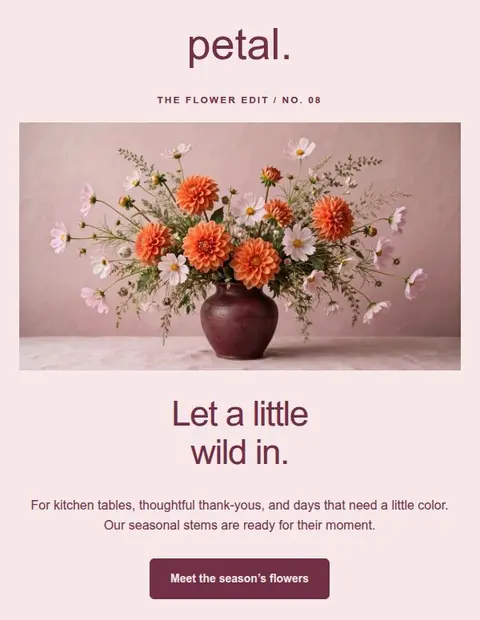
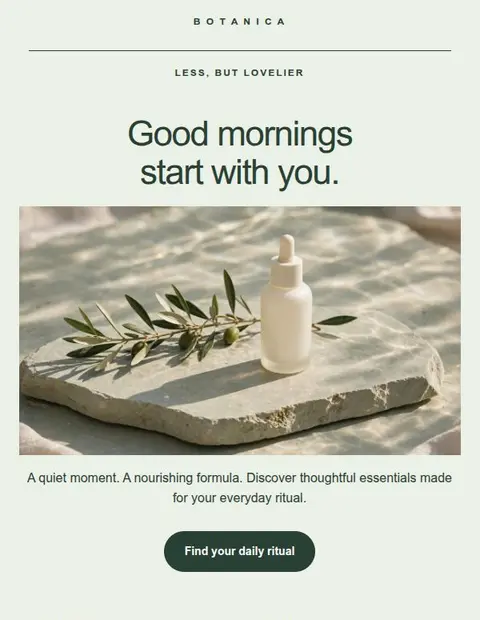
The layout is your head start. The colors, the words, the whole feeling? That’s yours. Turn any template into an email that looks and sounds like your brand, without writing a line of code.

Save 3 designs. Export for free. No credit card required.

Customized Moss and Spoon meal-kit welcome email with lavender backgrounds, green typography, a lemon orzo image, and delivery setup steps.Original Daybreak coffee welcome email with espresso photography, warm brown styling, and three onboarding steps.Original · DaybreakCustomized · Moss & Spoon

One template. A completely different brand.

Six ideas. Six fresh identities.

A template is a starting point. See where you can take it.

Every before and after below was made in Lettershape. Look past the sample brand and imagine what the layout could do for yours.

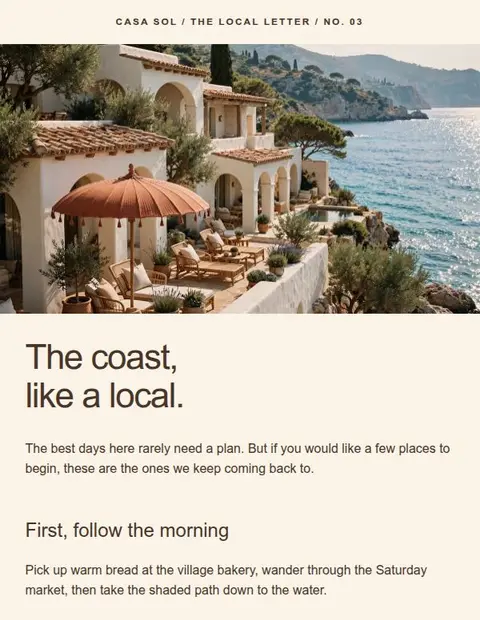
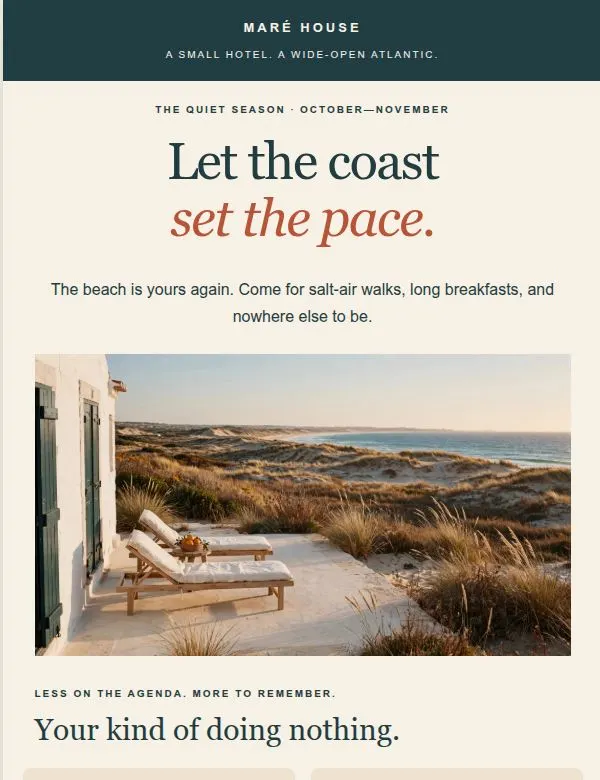
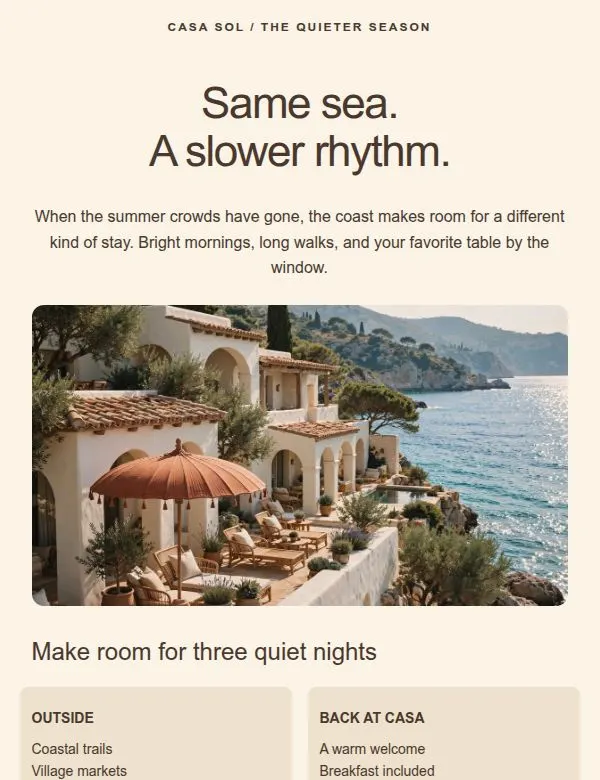
Customized Maré House hotel email with deep teal sections, serif headings, an Atlantic coast image, and a three-night stay offer.Original Casa Sol seasonal email template with a cream layout, coastal photograph, and terracotta booking button.Original · Casa SolCustomized · Maré House

01Hospitality / Seasonal offer

A new destination. Its own sense of place.

Casa Sol’s coastal offer becomes a boutique hotel escape. Deep teal, elegant type, and an AI-generated ocean view set the mood before the reader reaches the room offer.

  • Brand colors & fonts
  • AI imagery
  • Stay details & booking CTA

From Casa Sol to Maré HouseSee the original template
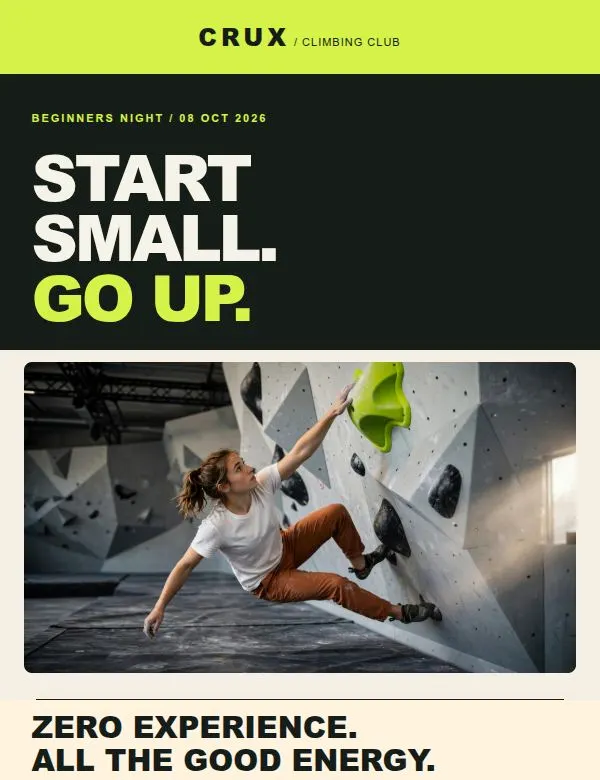
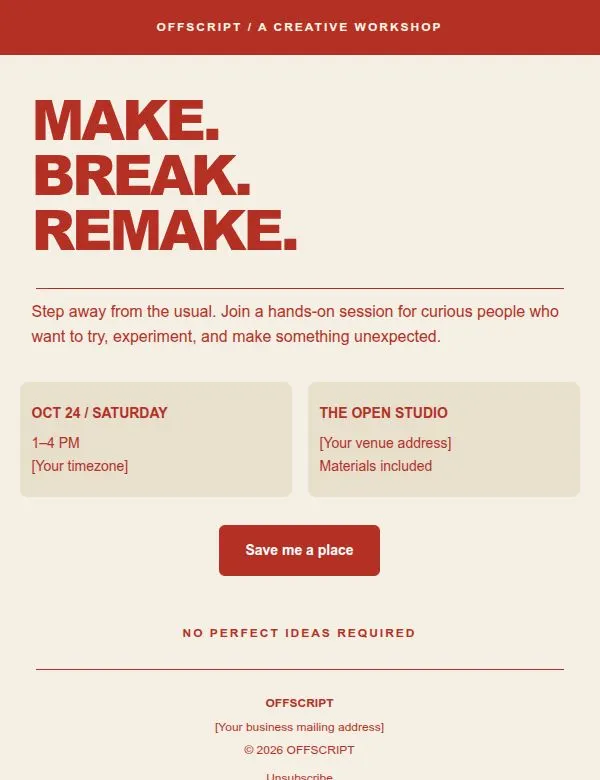
Customized CRUX climbing invitation with lime and charcoal branding, a climbing image, event information, and a booking button.Original Offscript workshop invitation with red typography, a cream background, and two event information columns.Original · OffscriptCustomized · CRUX

02Fitness / Event invitation

From a creative workshop to a first ascent.

An invitation layout finds a completely different audience. Electric lime, bold copy, and a generated climbing image turn Offscript into a high-energy beginners night.

  • New color palette
  • AI imagery
  • Event details & signup CTA

From Offscript to CRUXSee the original template

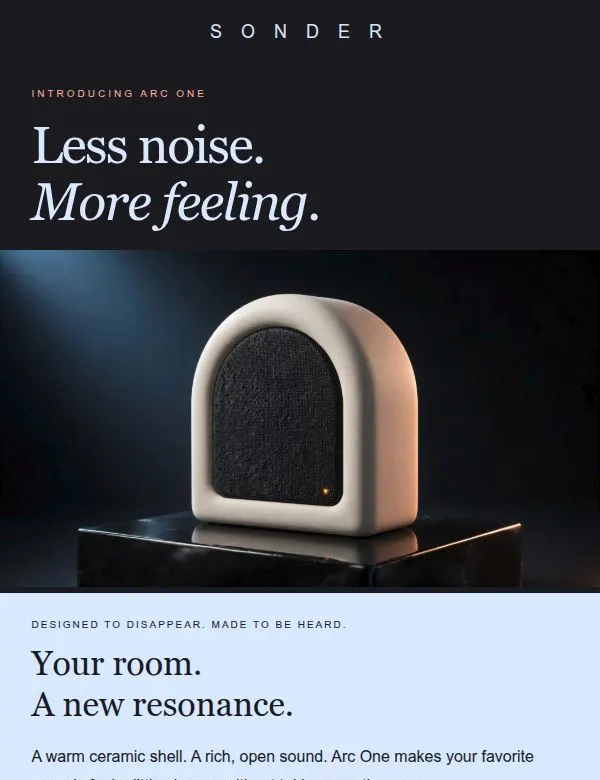
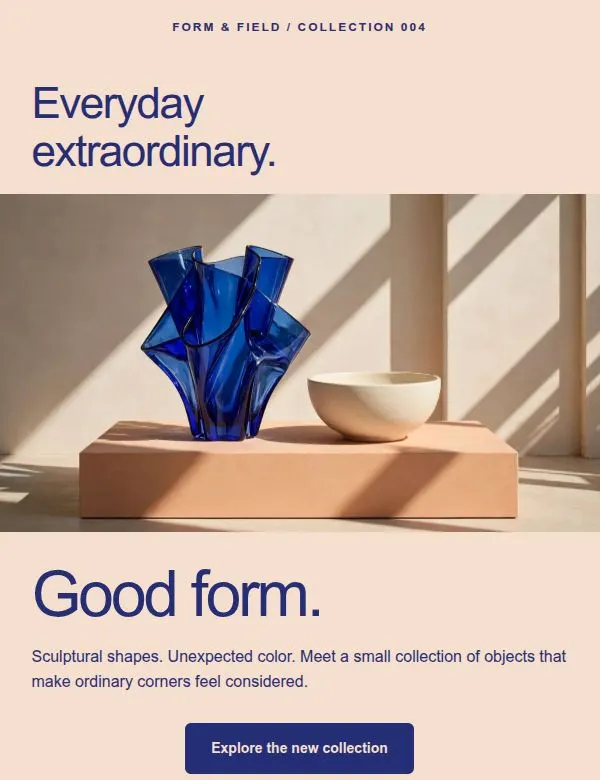
Customized SONDER speaker launch email with charcoal and pale blue sections, serif typography, and an AI-generated ceramic speaker image.Original Form & Field product email with peach backgrounds, cobalt type, and a photograph of sculptural homeware.Original · Form & FieldCustomized · SONDER

03Retail / Product launch

Same foundation. A different frequency.

A colorful homeware announcement becomes a considered audio launch. Dark backgrounds, a new product image, and a three-column feature section give SONDER its own voice.

  • Colors & typography
  • AI product imagery
  • Feature columns

From Form & Field to SONDERSee the original template

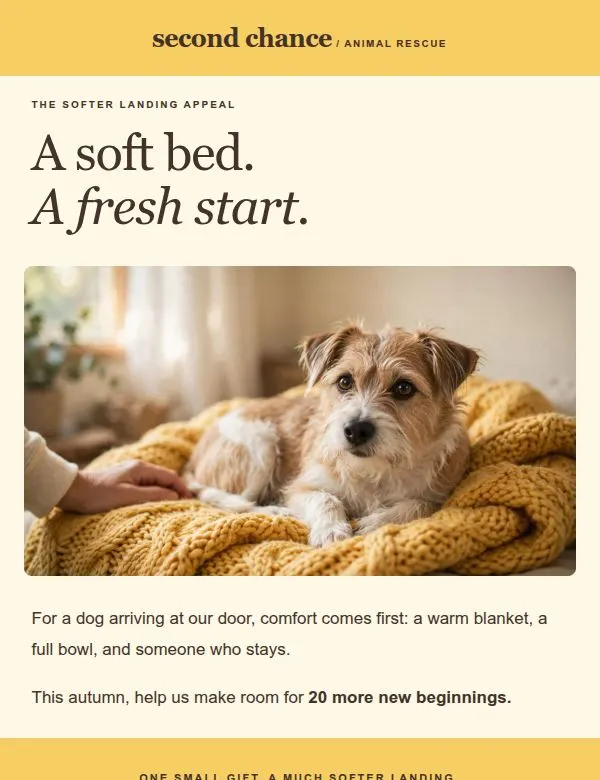
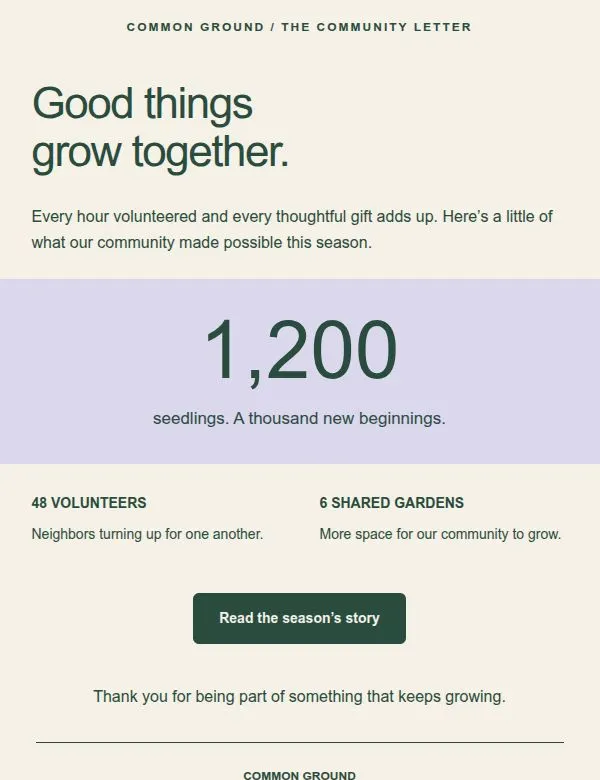
Customized Second Chance fundraising email with a rescue dog image, warm yellow sections, and a prominent £25 donation appeal.Original Common Ground community email with green headings, a lavender impact statistic, and a two-column update.Original · Common GroundCustomized · Second Chance

04Nonprofit / Fundraising

Give a good cause a warmer welcome.

Common Ground’s community update becomes an animal-rescue appeal. A soft portrait, sunny yellow, and a clear donation amount give the story a more personal focus.

  • Warm brand palette
  • AI imagery
  • Donation story & CTA

From Common Ground to Second ChanceSee the original template

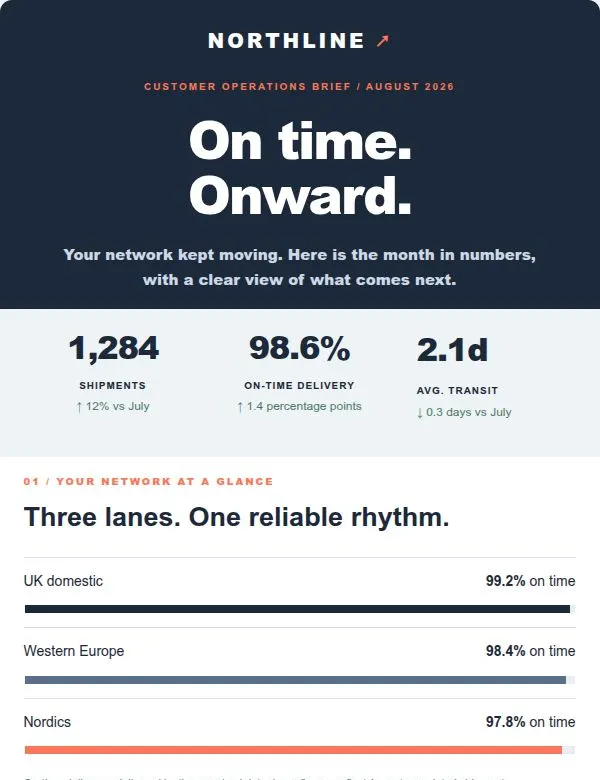
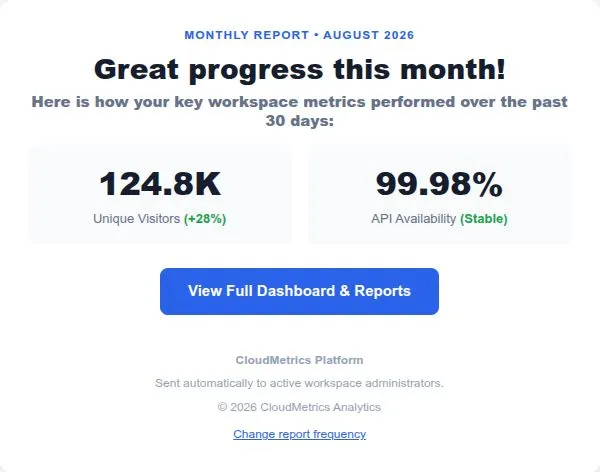
Customized Northline logistics report with a navy header, three delivery metrics, lane-performance bars, and a next-month update.Original analytics report email with two sample performance metrics and a blue dashboard button on white.Original · Analytics ReportCustomized · Northline

05B2B / Customer report

Make the numbers feel like your business.

A compact analytics template grows into a branded logistics dispatch. Replace the sample metrics, add a lane-performance graphic, and make room for what happens next.

  • Branded report header
  • Custom metrics
  • New content sections

From Analytics Report to NorthlineSee the original template

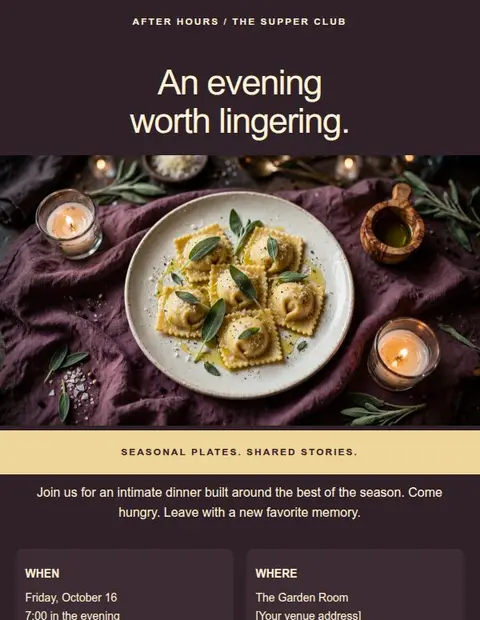
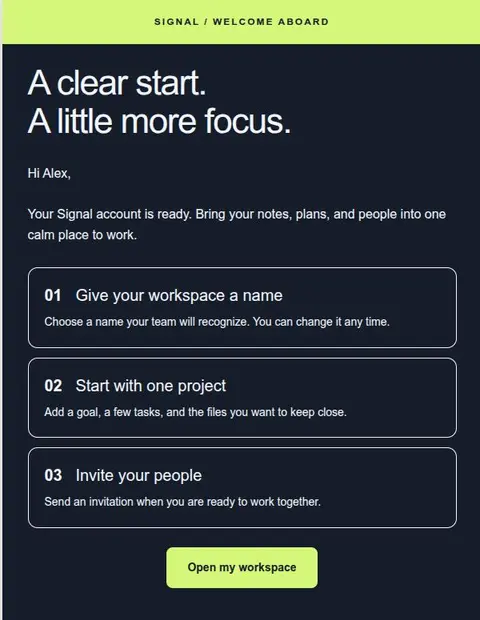
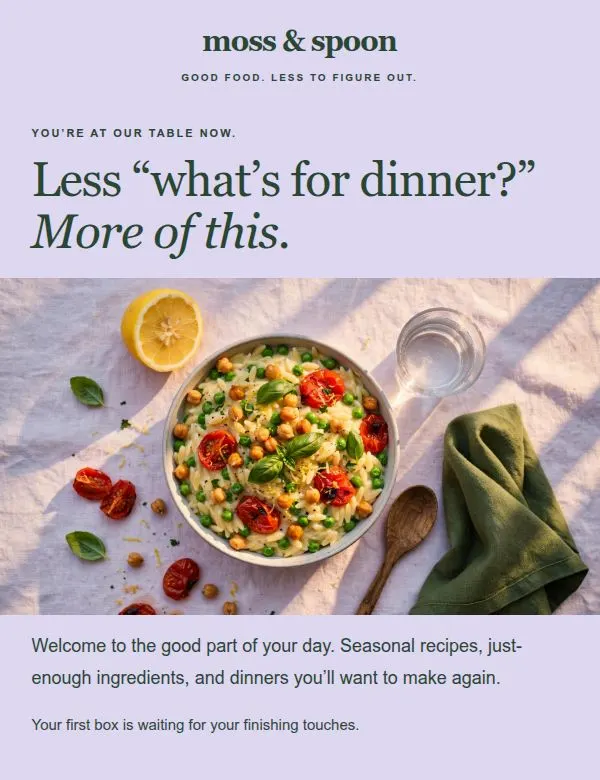
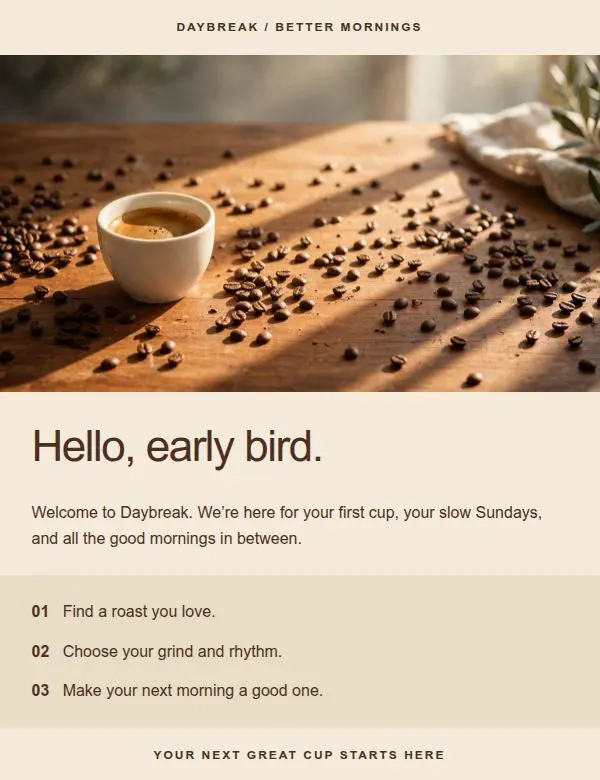
Customized Moss and Spoon meal-kit welcome email with lavender backgrounds, green typography, a lemon orzo image, and delivery setup steps.Original Daybreak coffee welcome email with espresso photography, warm brown styling, and three onboarding steps.Original · DaybreakCustomized · Moss & Spoon

06Subscriptions / Welcome email

From the first coffee to the first delivery.

Daybreak’s welcome sequence becomes a meal-kit introduction. A fresh image, lavender-and-green styling, and three simple next steps make a new subscription feel inviting.

  • Brand colors & fonts
  • AI food imagery
  • Onboarding steps

From Daybreak to Moss & SpoonSee the original template

Real editor screenshots. Fictional brands and campaign details. AI-generated imagery in five of the six examples.

Your brand could be next.

Pick a starting point. Bring your own personality.

Create your own for free

Less setup. More making.

From “that could work” to “that’s so us.”

An email template creator should help you get your idea out quickly. Start with the structure, then change only what you need.

  1. 01

    Find your starting point

    Choose the shape of your message.

    A bold announcement? A friendly welcome? A short update? Pick a layout you like. A coffee email can become a meal-kit welcome; a workshop can become a climbing night.

    Find your template
  2. 02

    Make it feel like you

    Change the details. Change the feeling.

    Set fonts and colors in Global Styles. Add your logo, replace the copy, and swap the images. Move sections, add columns, or give your main button more room to stand out.

    Meet the visual editor
  3. 03

    Save, export, repeat

    One good design. A useful head start.

    Check desktop and mobile, save, then export to your sending tool. For your next campaign, duplicate the design and update the content. Your brand styling is already in place.

    Explore export options

Your creative assistants

The right words. An image that fits. A lot less blank-page time.

You have the idea. Let AI help you find a way to say it and a picture to go with it, right inside the email editor.

Find your next first draft.

Ask for a punchier headline, a warmer welcome, or a clearer button label. Choose a tone, review the draft, and give it your finishing touch.

Make an image for the idea.

Describe the scene, subject, and mood. Generate an image, add it to your email, and reuse it from your gallery. Mix generated visuals with your own photography.

Explore the AI writing & image tools

Room to try another direction

Generous AI allowances. More space to make it yours.

AI assistants are included on Creator and Pro. Start with the free editor and add AI when you’re ready.

Creator$10 USD / month

150text drafts / month*

50images / month*

Pro$20 USD / month

300text drafts / month*

100images / month*

*Up to these totals. A separate monthly AI cost cap can stop generation earlier. Allowances renew with confirmed monthly payment.

Compare plans & AI allowances

Your design. Your sending tool.

Make it here. Send it where you already work.

Use Lettershape as your email marketing template builder, then download or copy the finished design. Your usual service handles the sending.

HTML, without hand-coding.

Design visually and let the HTML email maker handle the code. Download the file or copy the source, with every export option included on Free.

See HTML export options

Thunderbird email templates.

Give everyday messages your brand’s look. Copy a formatted email, or download an EML file and open it in Thunderbird with Edit as New.

Use it with Thunderbird

A fresh design for Mailchimp.

Customize your campaign, download the HTML, and import it into a Mailchimp plan that supports custom templates. Add your sending details and test before sending.

See the Mailchimp workflow

Questions

A few things you might be wondering.

Something else? Email support@lettershape.com.

Can I create email marketing templates for free?

Yes. Lettershape’s free email template builder includes all 55+ templates, visual editing, your own text and images, desktop and mobile previews, and every export format. Save and reuse up to 3 designs with no time limit or credit card. AI tools are available on Creator and Pro.

How much of an email template can I customize?

Change the brand name, logo, fonts, colors, text, images, buttons, links, and footer. Add, remove, duplicate, or rearrange sections, including columns. Choose a template for its structure, even if the example is for a completely different industry. You can make these changes with visual controls, without writing HTML.

How quickly can I make a template my own?

The layout is already there, so you can go straight to adding your branding and content. For a simple campaign, start with your colors, headline, image, and button. More detailed redesigns can include new sections and layouts. Save the finished design and duplicate it next time to keep your styling and move even faster.

Can I use Lettershape as an AI email template generator?

Lettershape combines editable templates with AI writing and image assistants on paid plans. Pick a layout, ask AI for copy or an image for a section, then edit and arrange the result. You control the final design; whole-email generation from a single prompt is not currently available.

Can I use my customized email in Mailchimp or Thunderbird?

Yes. Download HTML for a Mailchimp plan that supports custom HTML imports, or use formatted copy or an EML message file for Thunderbird. Transfers are manual. Mailchimp imports do not become native drag-and-drop blocks. Finish your sending-service settings and send a test email before using the design with your audience.

Are these real examples made in the editor?

Yes. Each pair shows an original Lettershape template and a customized design saved in the editor. The brands and campaign details are fictional demonstration content. The hotel, climbing, speaker, rescue, and food examples use AI-generated imagery; the logistics example uses customized metrics and a performance graphic.

Your next email starts here

A great starting point. A very you finish.

Make your first design with our free email template builder. All 55+ templates, your own content, and every export option are ready when you are.

3 saved designs. No time limit. No credit card.