Product update email templates

Show customers your new products and features.

Browse email templates for product launches, software updates, and new collections. Add product details and a link to shop or try the new feature.

Form & Field

Homeware collection

EXAMPLE DESIGN

Homeware collection

Form & Field

Showcase a homeware collection with product photography and a link to browse the range.

Customize it in your account.

  • Replace the sample brand, copy, and images.
  • Set your button destination and footer links.
  • Check the desktop and phone views, then save your design.
View templates in the appExplore this category

Fictional example. All templates are included on Free. Sign in or create an account, then find Form & Field in the full template library.

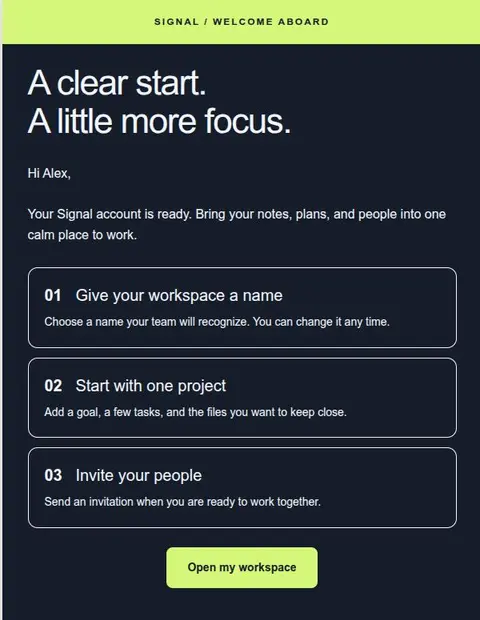
Signal

Software update

EXAMPLE DESIGN

Software update

Signal

Announce a software update and show customers what they can do with the new feature.

Customize it in your account.

  • Replace the sample brand, copy, and images.
  • Set your button destination and footer links.
  • Check the desktop and phone views, then save your design.
View templates in the appExplore this category

Fictional example. All templates are included on Free. Sign in or create an account, then find Signal in the full template library.

NeuralSync 2.0

Software product launch

EXAMPLE DESIGN

Software product launch

NeuralSync 2.0

Tell existing customers what changed in a software release and link to the details.

Customize it in your account.

  • Replace the sample brand, copy, and images.
  • Set your button destination and footer links.
  • Check the desktop and phone views, then save your design.
View templates in the appExplore this category

Fictional example. All templates are included on Free. Sign in or create an account, then find NeuralSync 2.0 in the full template library.

Studio Mono

Creative showcase

EXAMPLE DESIGN

Creative showcase

Studio Mono

Share recent studio work and invite readers to view the collection or project page.

Customize it in your account.

  • Replace the sample brand, copy, and images.
  • Set your button destination and footer links.
  • Check the desktop and phone views, then save your design.
View templates in the appExplore this category

Fictional example. All templates are included on Free. Sign in or create an account, then find Studio Mono in the full template library.

Example designs with fictional content, not app screenshots. Sign in to preview and edit the templates. Replace the sample details before sending.

Explain what customers can do with the update.

Name the change and give an example of how it helps. A new calendar view might let customers see every deadline in one place. A furniture launch might introduce a table that fits smaller kitchens. Use a product image and link directly to the details.

Tips for this type of email

  • Put the customer benefit before the internal feature name.
  • Use real product images and verified release details.
  • Make a “Shop the collection” button open the collection page.
Read the design guide

Start with the Free plan

Create and download
your first email for free.

Create an account, verify your email address, and choose a template to edit.

Create a free accountSave up to 3 designs. No credit card required.