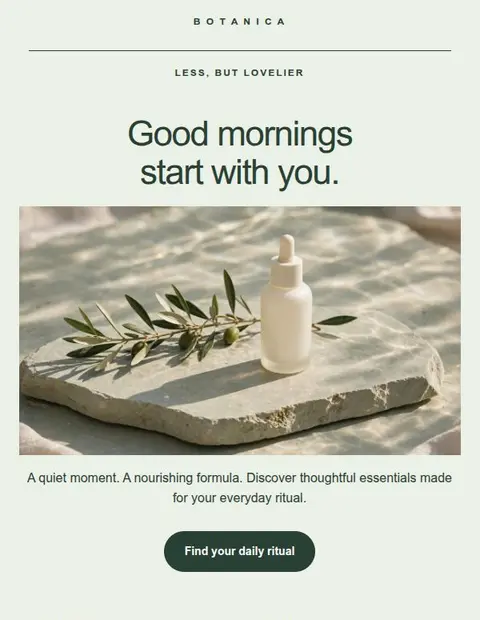
Email downloads and copy options
Take your email design to your sending tool.
Download your email as HTML, copy it with formatting, or save a message file for Thunderbird. Every export format is included on Free.
Included on Free. 3 saved designs, no credit card.
- HTML file or sourceMailchimp, Brevo, Klaviyo
- Copy with formattingGmail, Outlook, Apple Mail, Thunderbird
- Plain textAny email app
- Message file (EML)Open in Thunderbird, then Edit as New
How it works
Download or copy your email.
Download an HTML file or copy your email with formatting. The export menu includes instructions for Mailchimp, Gmail, Thunderbird, and more.
Try it free- 01
Download HTML for an email marketing service.
Save your design and open Export email. Download the HTML file for a service such as Mailchimp or Klaviyo, or copy the code into a service that accepts it. Lettershape writes the email code for you. Check that your sending plan supports custom HTML before importing.
- 02
Copy a formatted email into your mail app.
Formatted copy transfers text, images, and links into a new message. The export menu has instructions for Gmail, Outlook, Apple Mail, and Thunderbird. Pasting can change the spacing or layout, so check a received test email. You can also copy just the text.
- 03
Open a saved message in Thunderbird.
An EML file holds your subject and email content, including a plain-text version. Download it, open it in Thunderbird, and choose Edit as New. Check the sender and recipients, then send a test to yourself.
- 04
Keep the design for future campaigns.
Downloaded files remain yours to use if you change plans. To edit a saved design and export another version, it must be one of the designs your current plan lets you edit. Use your sending service to manage subscribers and track campaign results.
More inside the editor
Can I download my email for free?
Yes. Free includes all download and copy options for up to 3 saved designs. You can edit and export those designs again whenever you need them.
Can I use the HTML with Mailchimp?
Yes, if your Mailchimp plan allows custom HTML imports. Download the file and import it yourself. In Mailchimp, add the required footer and any tags that insert subscriber details. The file does not become Mailchimp drag-and-drop blocks.
Are images embedded in the export?
Images load from public web addresses when someone opens the email. Lettershape hosts your uploads and generated images. If you link to images on your own website, keep those files available after sending.
Is there an export API for developers?
An export API is planned but not available yet. Currently, you download or copy emails from the web editor.
Start with the Free plan
Create and download your first email for free.
Create an account, verify your email address, and choose a template to edit.
Save up to 3 designs. No credit card required.